
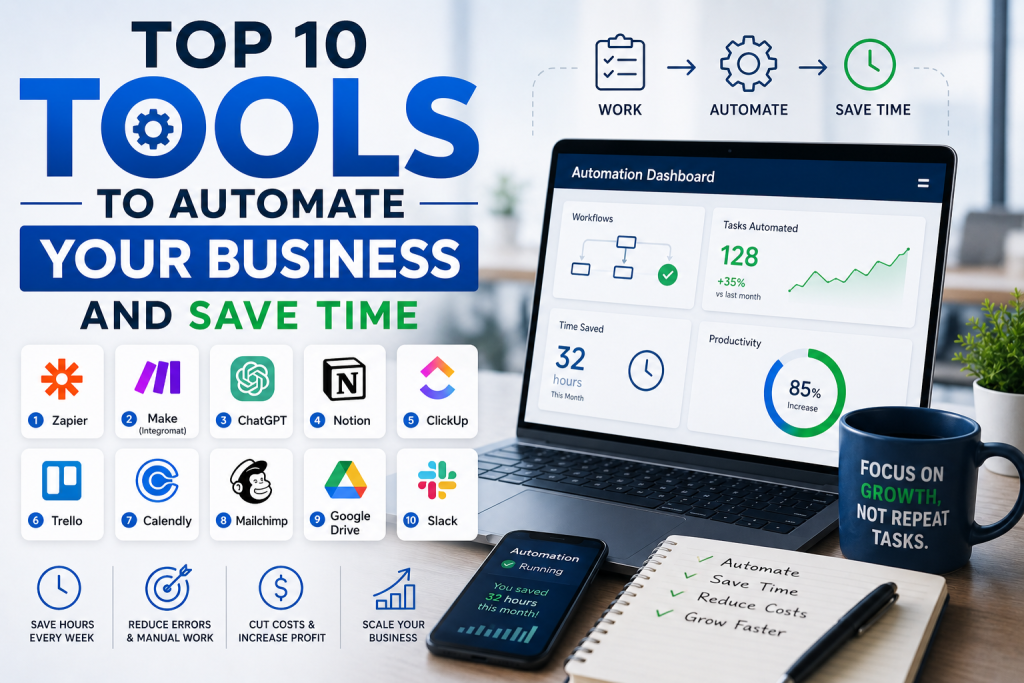
Top 10 Tools to Automate Your Business and Save Time
INTRODUCTION
Time is your most valuable asset. Every minute you spend on repetitive, manual tasks is a minute you could spend on creative work, client relationships, or growing your business. Automation tools can handle these repetitive tasks for you, freeing up your time and reducing errors. The right automation tools can transform your business, making it more efficient, scalable, and profitable. This guide covers the top 10 tools to automate your business and save time in 2026.
ZAPIER: CONNECT EVERYTHING
Zapier is the leading automation platform. It connects over 5,000 apps and allows you to create automated workflows called “Zaps.” A Zap is a trigger and an action. When a trigger event happens in one app, Zapier automatically performs an action in another app. For example, when you receive a new email attachment, Zapier can automatically save it to Google Drive. When you get a new lead in your CRM, Zapier can send a follow-up email. When a new order comes in, Zapier can add the customer to your email list. Zapier is essential for streamlining your workflows and eliminating manual data entry. It is ideal for businesses of all sizes.
MAKE (FORMERLY INTEGROMAT): ADVANCED AUTOMATION
Make is a powerful automation platform that offers more advanced features than Zapier. It allows you to create complex, multi-step workflows with visual mapping. Make is ideal for businesses with more complex automation needs. It offers a visual workflow builder, support for complex logic, and competitive pricing. Make is ideal for businesses that need sophisticated automation.
BUFFER: AUTOMATE SOCIAL MEDIA
Buffer is a social media management tool that allows you to schedule posts across multiple platforms. It eliminates the need to manually post to each platform every day. Buffer offers content scheduling, analytics, and team collaboration. It is ideal for businesses and creators who want to maintain a consistent social media presence without daily effort.
MAILCHIMP: AUTOMATE EMAIL MARKETING
Mailchimp is an email marketing platform that allows you to automate your email campaigns. You can create automated welcome emails, follow-up sequences, and abandoned cart reminders. Mailchimp offers email automation, audience segmentation, and analytics. It is ideal for businesses that want to nurture leads and build customer relationships through email.
CALENDLY: AUTOMATE SCHEDULING
Calendly automates appointment scheduling. It eliminates the back-and-forth of finding meeting times by letting clients book directly into your calendar. Calendly integrates with your calendar, allows clients to book based on your availability, and sends automated reminders. It is ideal for freelancers, consultants, and businesses that schedule appointments regularly.
QUICKBOOKS: AUTOMATE FINANCES
QuickBooks is an accounting software that automates your financial management. It allows you to track income and expenses, send invoices, and prepare for taxes. QuickBooks connects to your bank accounts, automatically categorizes transactions, and generates financial reports. It is ideal for freelancers and small businesses.
HUBSPOT: AUTOMATE CRM AND MARKETING
HubSpot is a comprehensive CRM and marketing platform. It offers sales automation, marketing automation, and customer service tools. HubSpot allows you to automate lead nurturing, email marketing, and sales follow-ups. It is ideal for businesses that want to manage their entire customer lifecycle in one platform.
CANVA PRO: AUTOMATE DESIGN
Canva Pro offers a range of features that automate your design process. It offers a brand kit, AI-powered design suggestions, and content planning tools. Canva Pro can automatically resize designs for different platforms, generate color palettes, and suggest templates based on your content. It is ideal for creators and businesses that produce visual content regularly.
DESCRIPT: AUTOMATE VIDEO AND AUDIO EDITING
Descript is a powerful audio and video editing tool. It allows you to edit video by editing text. Descript can automatically remove filler words, add captions, and transcribe audio. It is ideal for podcasters, video creators, and businesses that produce audio and video content.
HONEYBOOK: AUTOMATE CLIENT MANAGEMENT
HoneyBook is a client management platform designed for freelancers and small businesses. It offers proposals, contracts, invoices, and client communication tools. HoneyBook automates the client onboarding process, contract signing, and invoicing. It is ideal for freelancers and service-based businesses.
HOW TO GET STARTED WITH AUTOMATION
Start by identifying your most time-consuming tasks. What do you do repeatedly that could be automated? Focus on one task at a time. Choose a tool that addresses that specific task. Start simple and expand as you become comfortable with automation. The key is to integrate tools gradually and measure their impact on your productivity.
CONCLUSION
Automation tools can save you significant time and reduce errors. By automating repetitive tasks, you can focus on high-value work that grows your business. Start with one tool that addresses your biggest time drain and expand from there. The right automation tools can make your business more efficient, scalable, and profitable.
About the Author: The Financial Education Team is dedicated to helping individuals build strong financial foundations through clear, actionable guidance on credit, saving, and wealth-building.
Disclaimer: This article is for informational purposes only and should not be considered financial or investment advice. Always conduct your own research before using any tool or platform.